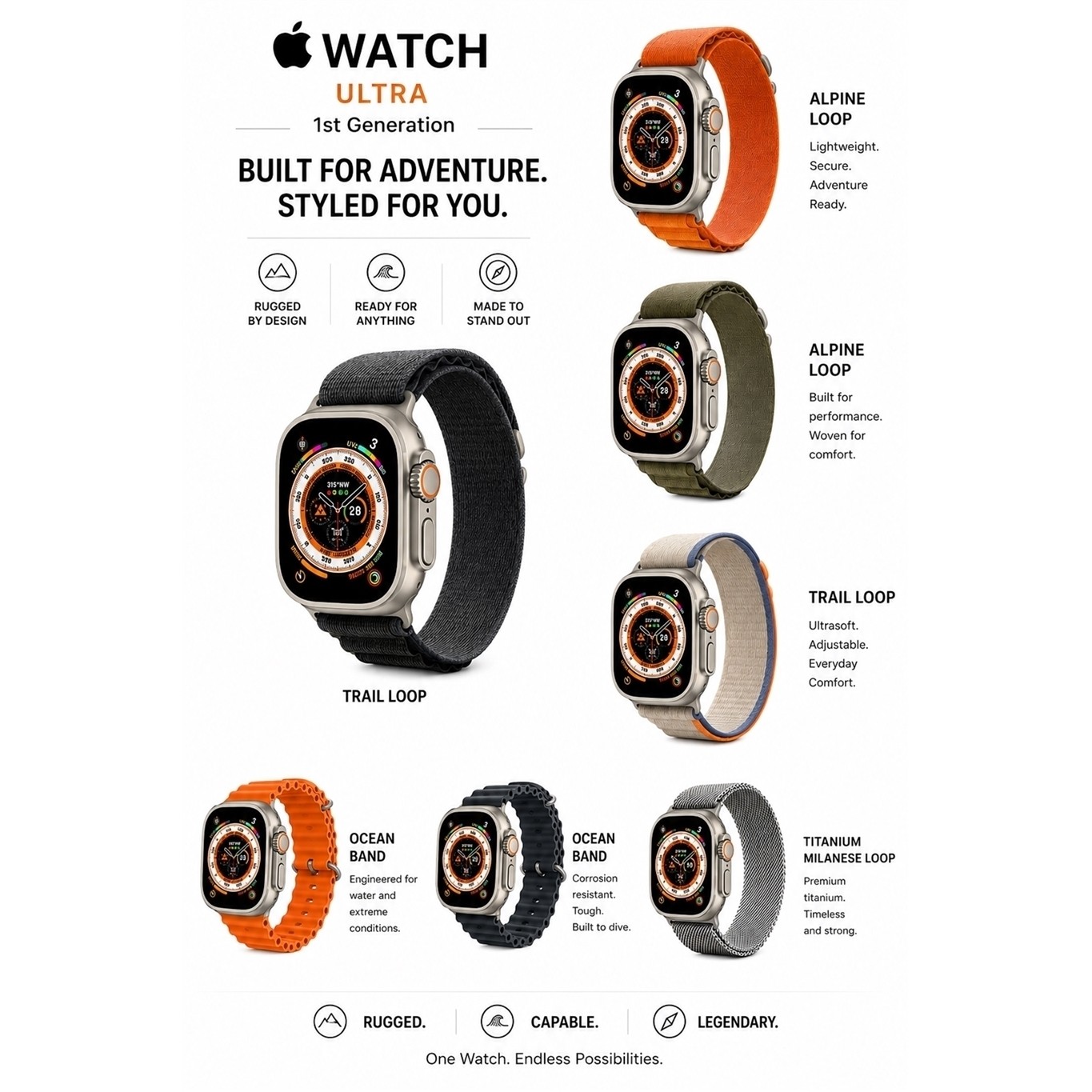
Apple Watch Ultra 1st GEN GPS + Cellular 49mm Titanium Case - Very Good
Estimate for one unit, air shipping. Final total is confirmed at checkout.
Product arrives warehouse Sep 19 - Sep 21. Products ship from our warehouse every Friday. Delivered to you by Oct 6, 2026.
About this item
Details
- 49mm Titanium Case with Green Neon Trail Loop
- " Display
- 64GB Storage Capacity
- GPS Enabled
- Cellular Enabled
- Up to 36 hours of battery life
- IEEE 802.11b/g and Bluetooth 5.3
- 1.73" x 1.4" x 0.4" (HxWxD); 0.5lbs
Specifications
General Information
- GPS Capable?: Yes
- Battery Capacity - 0 if None (mAh): 542
- Shape: Rectangular
- Model Number: Ultra 1st Gen
- Item Dimensions - H x W x D (IN): 1.73 x 1.4 x 0.4
- Rechargeable: TRUE
- Screen Size (mm): 48.7
- Built-in Speakers: YES
- Age & Gender: Unisex
- Watch Case Material: Titanium
- Release Year: 2022
- Calendar Type: Day-Date-Month-Year
- Data Plan Required: TRUE
- Smartphone Compatability: iPhone
- Bluetooth Compatibility: 5.3
- Has Microphone?: Yes
- Case Diameter (MM): 49
- Storage Capacity (GB): 64
- Battery Life (HRS): 36
- Watch Band Material: Fluoroelastomer
- Native Resolution - W x H (Pixels): 410 x 502
- Activity Trackers and Smart Watches Form Factor: Wristband
- Watch Band Name - e.g. Black Sport Band: Green Neon Trail Loop
- Apple Watch Gen.: N/A
- Watch Features: Blood Oxygen
- Protective Qualities: Water resistant
- Mobile Operating System: Apple Watch OS
- Color - Generic: Silver
- Wireless Network Compatibility: 802.11B, 802.11G, Bluetooth
- Has Cellular?: Yes
Dimensions
- Item Weight (LBS): 0.5
Package Contents
- Apple Watch Ultra 1st Gen (GPS + Cellular) 49mm Natural Titanium Case with Green / Neon Trail Loop
- Compatible Charging Cable and Sync Cable
Warranty
- Distributor 90 Days
Return Policy
Customer Service
📱 Product Information
🔓 Unlock Status
Fully Unlocked – Compatible with both local and international carriers.
🛡️ Warranty Coverage
Backed by 1-Year Allstate Warranty.
If your item breaks or malfunctions, you’re protected with repair, replacement, or reimbursement options.
More info: eBay Refurbished Warranty Program.
📦 Packaging & Quality Control
Devices are tested, cleaned, and graded before shipping.
Securely packaged to ensure safe delivery.
Quality Control Approved & Labeled – All IMEIs recorded for security.
📌 Included Accessories
Retail-style accessories included (charging cable, adapter, etc., depending on model).
🚚 Shipping & Handling
Handling Time: Orders ship within 24 hours of payment clearance (Mon–Fri).
Orders placed by 9:00 AM CST usually ship the same day.
Delivery Time: 2–3 business days after dispatch.
Expedited shipping options available at checkout.
High-value items may require a signature upon delivery.
No PO Box Shipping – Please provide a physical residential or business address.
💳 Payments
All payment methods supported and approved by eBay.
🔄 Returns & Replacements
Start a return via My eBay > Purchase History > Return Item.
You may upload up to 10 photos to document condition.
A prepaid return shipping label will be provided within 24–48 hours.
Returns are processed within 24–48 hours of receipt (excluding weekends/holidays).
Replacement/Exchange: Offered based on stock availability. Please include a note if requesting a replacement.
Important: Remove any iCloud, Google, or Samsung accounts before returning. Failure to do so may result in restocking fees.
🔑 Account Removal Instructions
iCloud (Apple)
Go to iCloud.com → Sign in.
Open Find My iPhone → Select All Devices.
Select the device → Click the small “x” to remove.
⚠️ Do not erase the device—remove it properly so it can be reused.
Google Account (Android)
Open Settings > Passwords & Accounts.
Select the account → Remove Account.
Confirm with your device PIN, password, or pattern.
Samsung Account
Go to Settings > Accounts and Backup > Manage Accounts.
Select your Samsung account → Remove Account.
Enter your password and sign out.
🔄 Device Reset Instructions
iPhone Hard Reset
Press & release Volume Up.
Press & release Volume Down.
Press & hold Side Button until Apple logo appears.
Android Factory Reset
Go to Settings > General Management > Reset.
Select Factory Data Reset.
Confirm and reset device.
⌚ Apple Watch Pairing Guide
Press & hold the side button on your Apple Watch until the Apple logo appears.
Hold your iPhone near the Apple Watch.
Tap Continue on your iPhone → Set Up for Myself.
If pairing doesn’t start, open the Watch App → Start Pairing.
Use your iPhone camera to scan the Apple Watch screen.
📩 Contact Us
We’re here to help! Please contact us via eBay Messages:
Go to My eBay > Purchase History.
Find your order → Select More Actions > Contact Seller.
Send us a message.
⏱️ Response Time: Within 24 hours on weekdays.
Thank you for choosing Tech4C LLC – We appreciate your business!
Condition
Apple Watch Ultra 1st GEN GPS + Cellular 49mm Titanium Case - Very Good · x1