
128TB Portable External SSD USB 3.1 Type-C Hard Drive for Laptop Mac PC Laptop
Estimate for one unit, air shipping. Final total is confirmed at checkout.
Product arrives warehouse Sep 29 - Oct 5. Products ship from our warehouse every Friday. Delivered to you by Oct 20, 2026.
About this item
128TB Portable External SSD USB 3.1 Type-C High-Speed Drive for Laptop Mac & PCs, 128TB Portable SSD External Hard Drive USB 3.1 Type-C High-Speed Data Storage for Laptop/Mac
🌈 Introduction
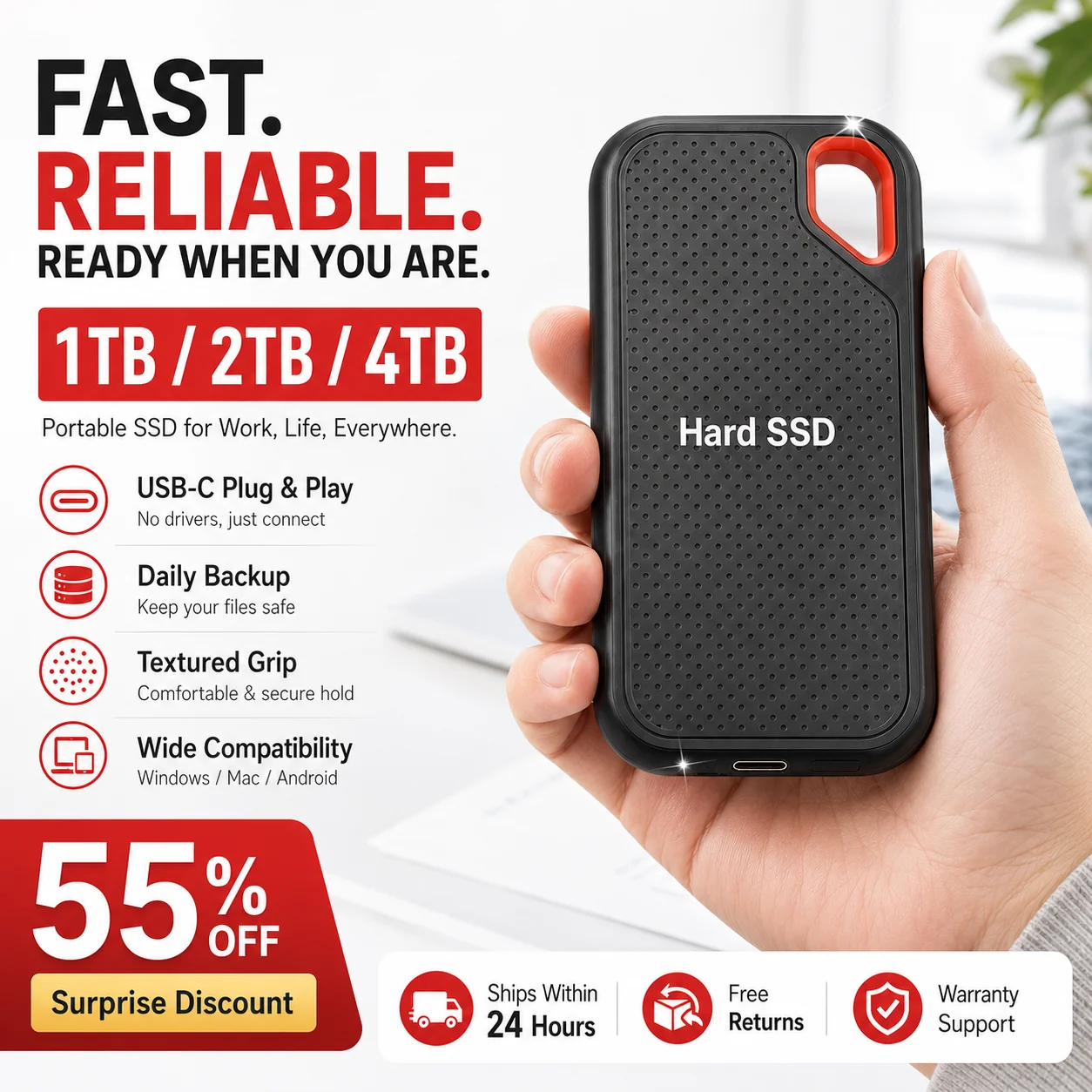
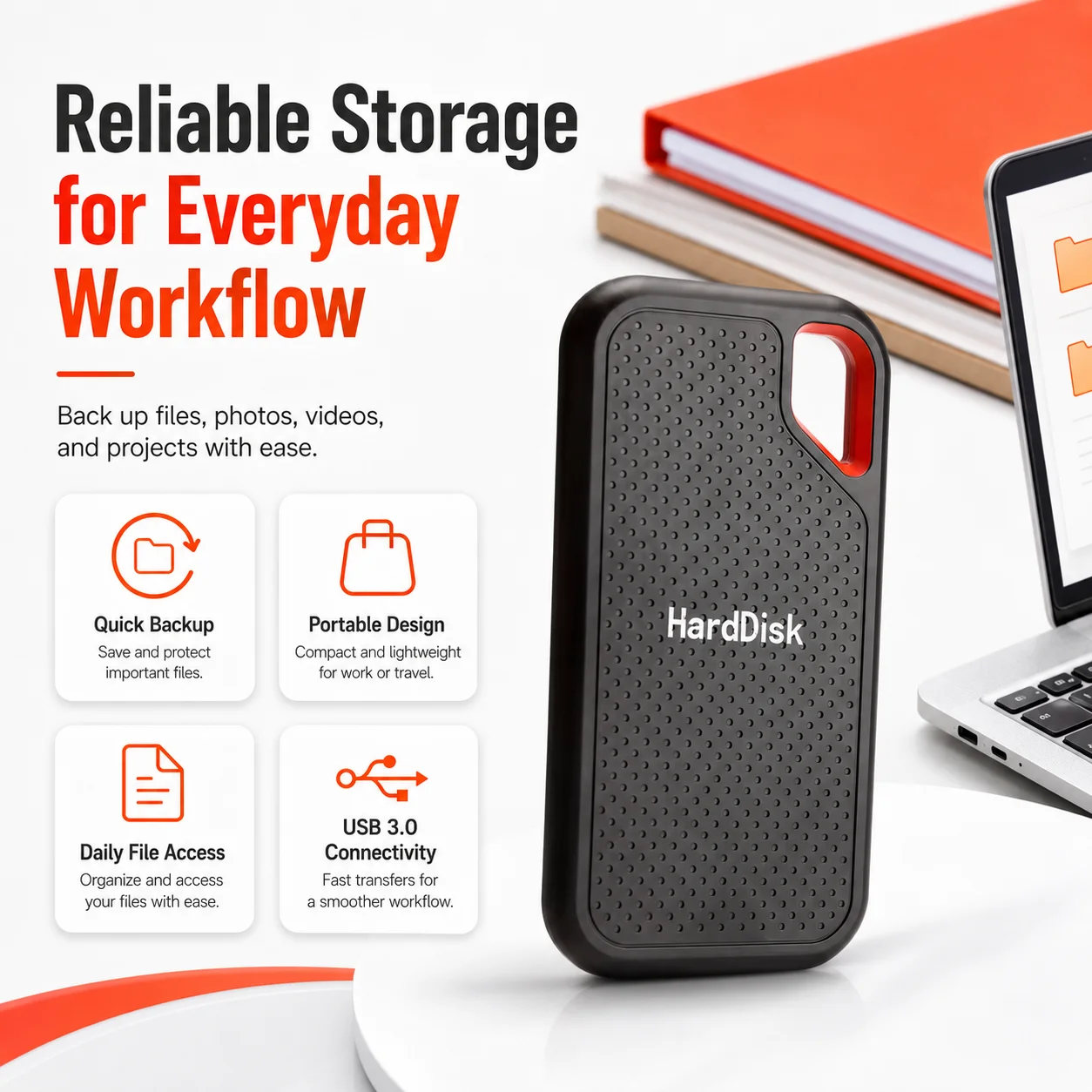
Expand your digital storage with this compact and portable external storage drive, designed for convenient use with compatible laptops and desktop computers. 💻🖥️ Featuring a USB 3.1 Type-C connection, the drive provides a practical solution for storing, organizing, transferring, and backing up documents, photographs, videos, music, presentations, project files, and other digital content. 📁📸🎬🎵
Multiple advertised capacity options are available, ranging from 1TB to 128TB, allowing you to select an option based on your storage requirements and budget. 💾✨ Its lightweight and travel-friendly construction makes it suitable for home, school, office, and mobile use. 🎒🏠🏢
⚠️ Important: Please select the required capacity from the available options before ordering. The title refers to the 128TB option; the capacity received will correspond to the variation selected at checkout.
⭐ Key Features
💾 Multiple Storage Capacity Options
Choose the advertised storage capacity that best matches your personal or professional storage needs:
🔹 1TB
🔹 2TB
🔹 4TB
🔹 6TB
🔹 8TB
🔹 16TB
🔹 30TB
🔹 64TB
🔹 128TB
Whether you need additional space for everyday documents or a portable location for larger multimedia collections, the available variations provide options for different usage requirements. 🌟
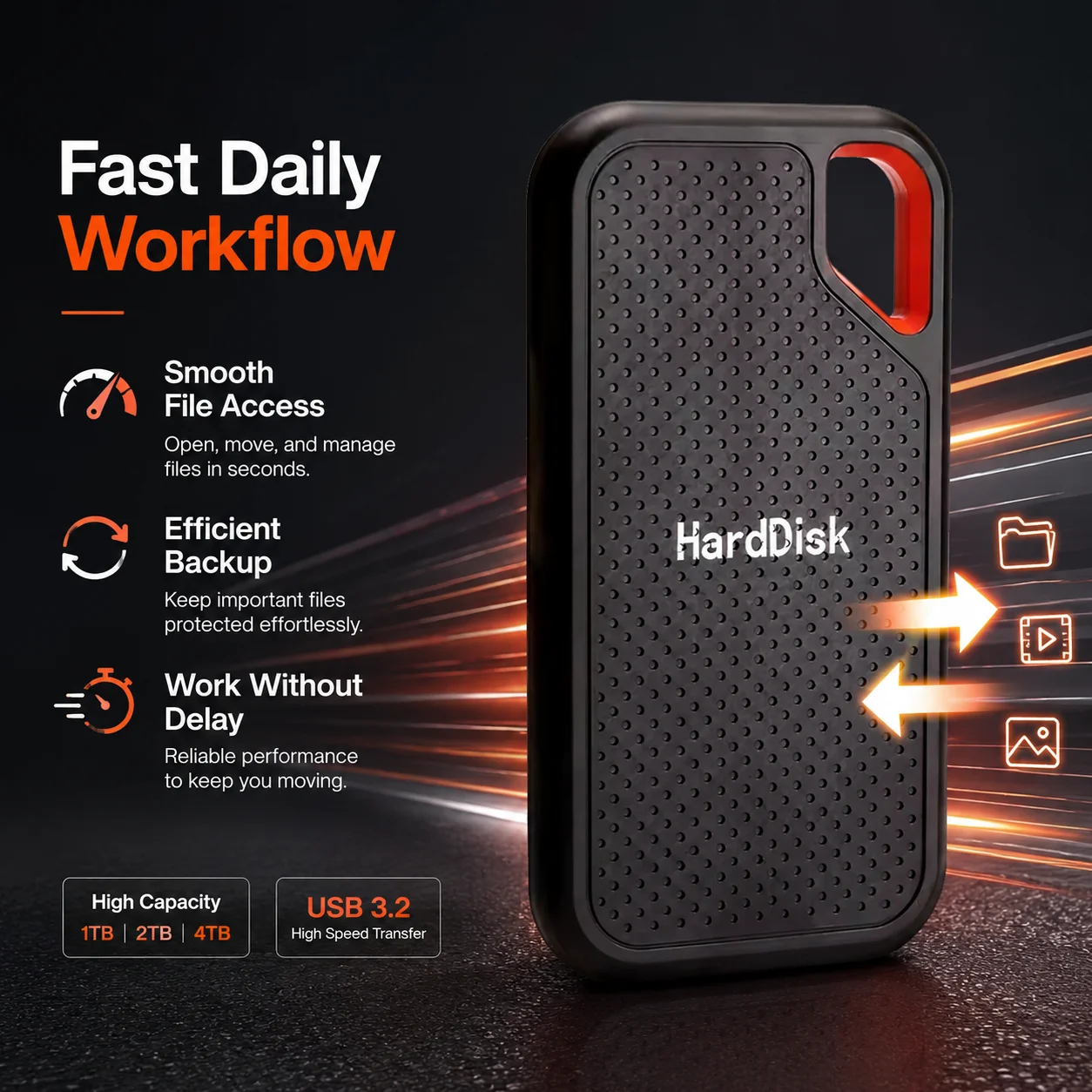
⚡ USB 3.1 Type-C Connectivity
The drive features a USB 3.1 Type-C interface for connection to compatible computers and devices. 🔌💻 The reversible Type-C connector is convenient to insert and eliminates the need to determine which side is facing upward.
Actual transfer performance may vary depending on:
🖥️ The connected computer or device
🔌 The USB port and USB generation
🧵 The cable or adapter being used
📁 File type, size, and quantity
💽 Drive format and available storage space
⚙️ Operating-system and hardware limitations
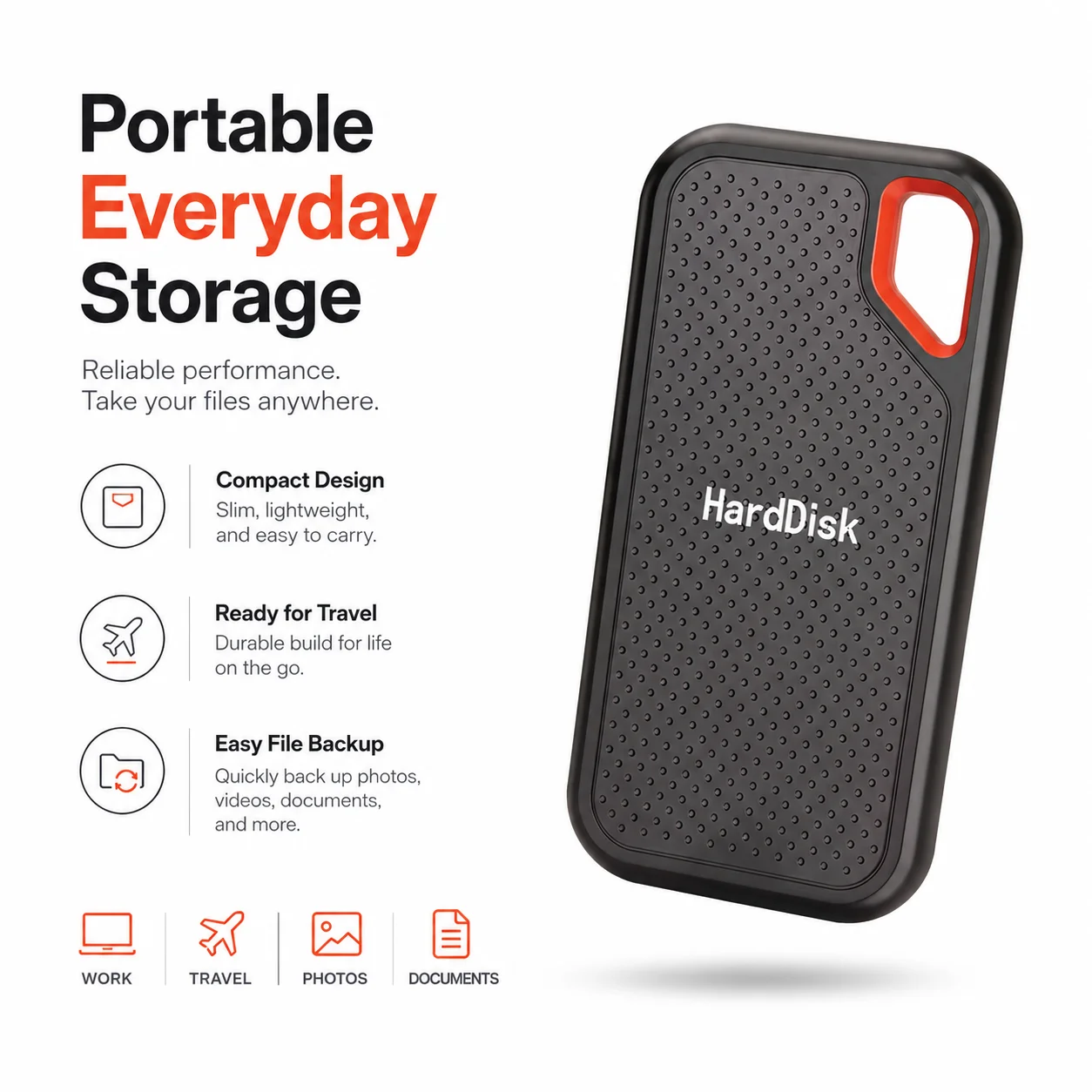
🎒 Compact and Lightweight Design
With a reported weight of approximately 65 g (2.29 oz), this portable drive is lightweight enough to carry in a backpack, laptop bag, briefcase, or travel organizer. 🌍✈️
Reported product dimensions:
📏 15 × 10 × 10 cm
📐 Approximately 5.91 × 3.94 × 3.94 in
⚠️ Please note that these measurements appear relatively large for a compact portable drive. Buyers who require exact dimensions should confirm the physical size before ordering.
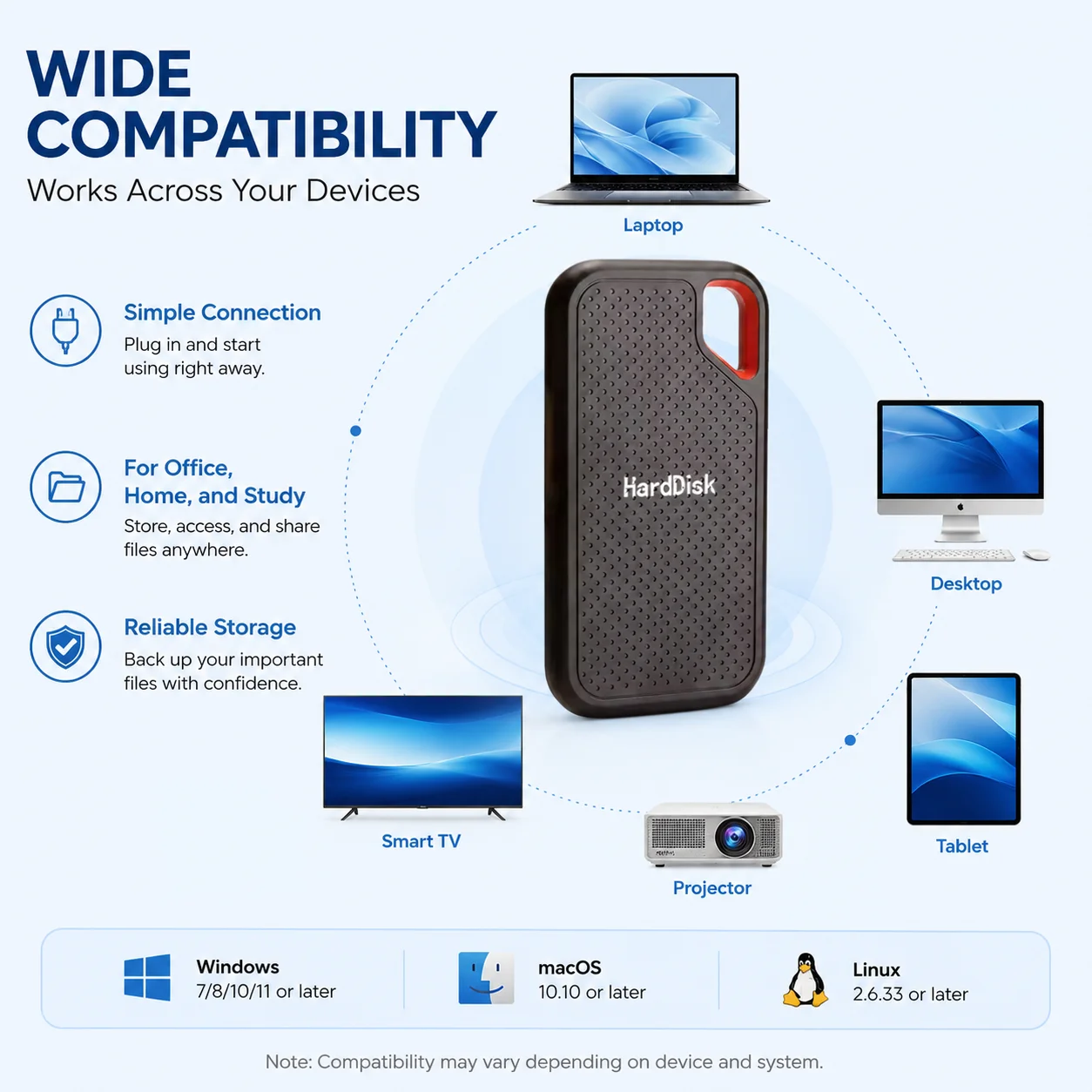
🖥️ Suitable for Laptop and Desktop Use
The external drive is advertised for compatible:
💻 Laptop computers
🖥️ Desktop computers
🍎 Mac computers
🪟 Windows computers
🐧 Compatible Linux systems
Compatibility may depend on the device’s available ports, supported storage formats, operating system, and power requirements. An adapter may be needed if your device does not have a compatible USB Type-C port. 🔄
🚀 Portable Storage Convenience
Store and carry important digital content without relying exclusively on the internal storage of your computer. The compact external design makes it convenient for students, professionals, creators, remote workers, and everyday users. 🎓👩💻🎨🏢
📋 Specifications
| Specification | Product Information |
|---|---|
| 💾 Product Type | Portable external storage drive |
| 🔌 Interface | USB 3.1 Type-C |
| 📦 Advertised Capacities | 1TB, 2TB, 4TB, 6TB, 8TB, 16TB, 30TB, 64TB, and 128TB |
| 🖥️ Application | Laptop and desktop computers |
| 📐 Reported Size | 15 × 10 × 10 cm / 5.91 × 3.94 × 3.94 in |
| ⚖️ Reported Weight | 0.065 kg / 65 g / 2.29 oz |
| 🧩 Listed Form Factor | mSATA Half Size |
| 🏷️ Listed Style | HDD |
| 📂 Drive Type | External |
| 🌍 Country of Origin | Mainland China |
| 🧪 High-Concern Chemicals | None declared |
| ✅ Certification | CE listed |
| 📦 Quantity | 1 piece |
⚠️ Specification clarification: The supplied product information uses the terms “SSD,” “HDD,” and “mSATA Half Size.” Because these terms describe different storage technologies or form factors, buyers should confirm the exact internal drive technology with the seller before purchasing.
📦 Package Includes
✅ 1 × Portable external storage drive in the capacity selected at checkout
⚠️ A cable, adapter, carrying case, software, or additional accessory should not be assumed to be included unless it is specifically shown in the product photographs or stated in the selected variation.
🛠️ How to Use
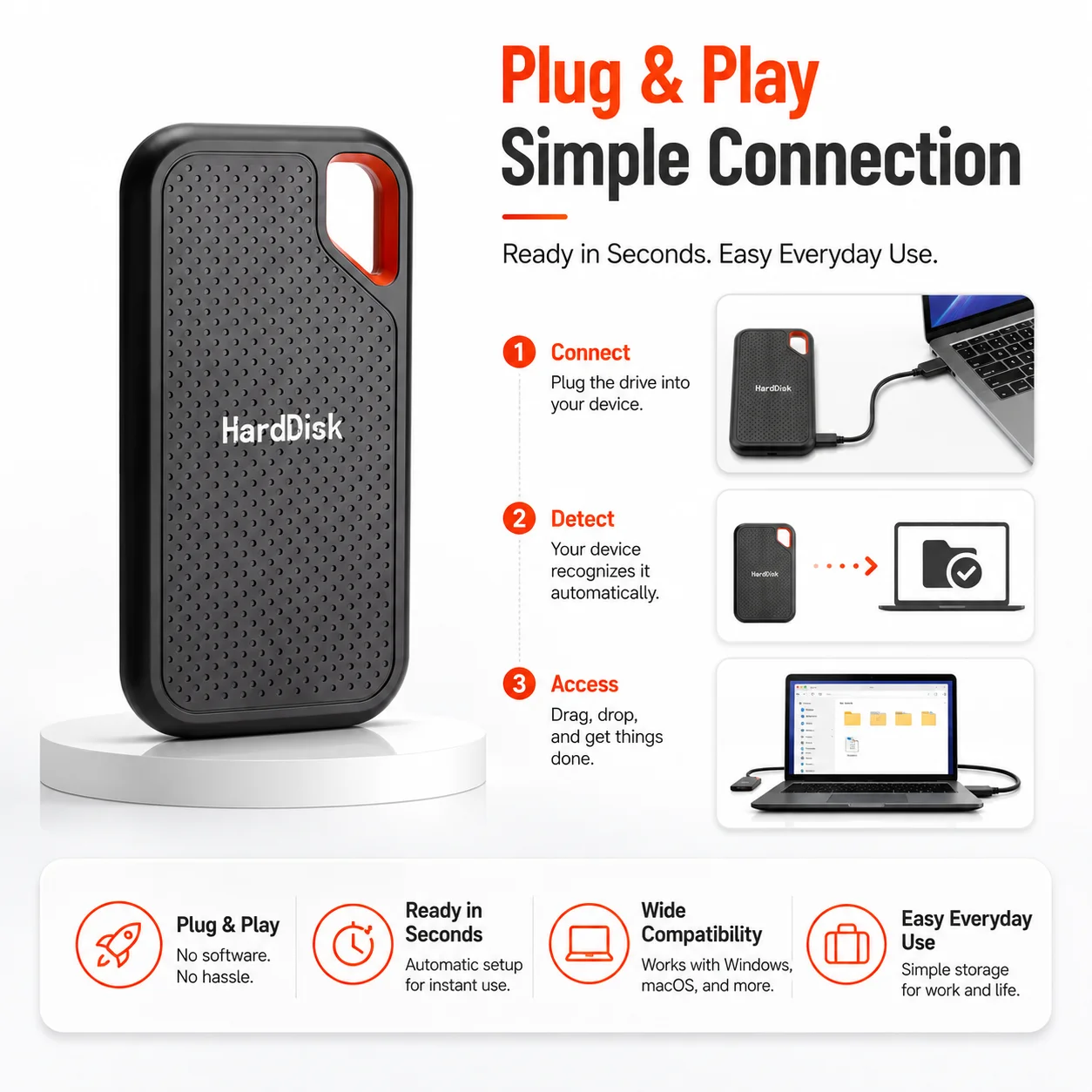
1. 🔍 Inspect the Product
After receiving the drive, inspect the housing, connector, and included accessories for visible damage. Do not connect a visibly damaged product to your computer.
2. 🔌 Connect the Drive
Connect the drive to a compatible USB Type-C port using the appropriate cable. If your computer has only a USB Type-A port, a compatible adapter or Type-A cable may be required. 🔄
3. ⏳ Wait for Device Recognition
Allow the operating system a few moments to recognize and mount the external drive. It may appear in:
🪟 Windows: File Explorer or Disk Management
🍎 macOS: Finder or Disk Utility
🐧 Linux: File Manager or Disks utility
4. ⚙️ Format When Necessary
A new external drive may need to be initialized or formatted before its first use. Select a file system appropriate for your devices:
🪟 NTFS: Commonly used with Windows
🍎 APFS: Designed for modern macOS environments
🍏 Mac OS Extended: Suitable for certain older Mac systems
🔄 exFAT: Often used when sharing files between Windows and macOS
🚨 Formatting deletes existing data. Confirm that the correct drive is selected before beginning the process.
5. 📂 Transfer Your Files
Drag and drop files or folders onto the drive, or use your preferred backup software. Large transfers may take longer than smaller document transfers.
6. ⏏️ Safely Eject the Drive
Always use the operating system’s “Eject” or “Safely Remove Hardware” function before disconnecting the drive. This helps reduce the risk of corrupted files or interrupted write operations. 🛡️
🎯 Recommended Uses
This portable external storage drive may be used for:
📁 Storing personal documents
📸 Organizing photographs and image collections
🎥 Saving videos and multimedia files
🎵 Carrying music and audio files
🎓 Keeping school assignments and course materials
💼 Transporting office documents and presentations
🎨 Storing design and creative project files
💻 Moving files between compatible computers
🗂️ Creating an additional copy of selected files
🌍 Carrying digital content while traveling
🧑💻 Managing work-from-home or remote-work files
📊 Storing spreadsheets, reports, and business records
💎 Benefits and Everyday Convenience
🌟 Additional Storage Space
The drive provides external storage that may help reduce reliance on your computer’s internal drive. It can be useful when your laptop or desktop has limited available space. 💾
🎒 Easy to Carry
Its reported lightweight construction makes it convenient to transport between home, school, the office, and other work locations. 🚗🏫🏢
🔄 Convenient File Transfer
Move compatible files between computers without repeatedly uploading and downloading them through an internet connection. Transfer speed will depend on the complete hardware configuration. ⚡
🧹 Better File Organization
Keep work, school, photographs, videos, and personal files separated into organized folders on an external device. 📁✨
🔌 Simple Connection
The USB Type-C connection provides convenient plug-in access on compatible devices. Driver installation requirements, if any, will depend on the operating system and device configuration.
✅ Key Bullet Points
💾 Available in multiple advertised capacity options from 1TB to 128TB
⚡ USB 3.1 Type-C connection for compatible devices
💻 Designed for laptop and desktop computer applications
🍎 Suitable for compatible Mac systems after correct formatting
🪟 Suitable for compatible Windows computers
🎒 Lightweight construction for portable use
📁 Useful for documents, photographs, videos, music, and project files
🔄 Convenient for moving files between compatible computers
📦 Supplied as one external drive per package
🌍 Suitable for home, office, school, and travel use
⏏️ Easy to connect, access, organize, and safely eject
🎯 Multiple variations help users choose a capacity for their needs
🏆 Why Buy This Portable External Drive?
💻 Versatile Everyday Storage
Use it for personal files, schoolwork, office documents, creative projects, photographs, videos, and more. Its external design gives you a separate place to organize digital content. 📚📸🎬
🌈 Multiple Capacity Choices
Instead of being limited to a single option, buyers can choose from multiple advertised capacities. Select only the capacity required for your intended application. 💾
✈️ Portable and Travel-Friendly
The lightweight design is convenient for users who work or study from different locations. Carry it in an appropriate protective pouch to help prevent scratches and impact damage. 🎒🛡️
🔌 Modern Type-C Connection
USB Type-C provides a compact, reversible connection for compatible computers. It is suitable for many modern laptops and desktops equipped with Type-C ports. ⚡
🧩 Useful for Different User Groups
A practical option for:
🎓 Students
🧑💻 Remote workers
💼 Office professionals
🎨 Content creators
📸 Photographers
🎥 Video collectors
🏠 Home users
🌍 Travelers
⚠️ Important Information Before Purchasing
🔍 Verify the Selected Capacity
The product is offered in multiple capacity variations. Carefully review the selected option before completing your order. A 1TB selection will not include a 128TB drive.
🧪 Test the Drive After Delivery
For unusually high-capacity storage products, buyers should verify the drive immediately after delivery using a reputable full-capacity testing utility. Merely seeing the advertised capacity in File Explorer, Finder, or Disk Utility does not confirm that the entire capacity is physically usable.
Suggested testing tools include:
🪟 Windows: H2testw
🍎 macOS: F3
🐧 Linux: F3 or another full read/write verification utility
A complete capacity test writes data across the drive and reads it back. Testing can take a long time, especially for larger advertised capacities. ⏳
💽 Confirm the Storage Technology
The supplied information describes the product as an SSD while also listing its style as HDD and mentioning mSATA. Confirm whether the selected model contains solid-state flash memory or another storage technology before ordering.
⚡ Do Not Assume a Specific Transfer Speed
USB 3.1 describes the connection standard, but it does not guarantee a particular real-world read or write speed. No verified speed in MB/s or GB/s has been supplied. Performance varies based on the internal hardware, cable, computer, port, file system, and file type.
🎮 Device Compatibility Is Not Guaranteed
Compatibility with televisions, gaming consoles, smartphones, tablets, cameras, routers, vehicle systems, or other non-computer devices is not guaranteed unless specifically confirmed. These devices may have capacity, file-system, power, or partition limitations.
🍎 macOS Recognition
If the drive does not appear on the Mac desktop:
Open Finder Settings
Select General
Enable External disks
Check Locations in the Finder sidebar
Open Disk Utility
Select View → Show All Devices
Initialize or format the drive only if necessary
🚨 Formatting permanently deletes data already stored on the selected drive.
🛡️ Care and Safety Instructions
🚫 Do not disconnect the drive while files are being transferred.
⏏️ Always eject the drive safely before unplugging it.
💧 Keep the product away from water, rain, and excessive moisture.
🔥 Keep it away from flames, heaters, and extreme temperatures.
☀️ Do not leave it in direct sunlight or inside a hot vehicle.
🧲 Keep it away from environments that may damage electronic devices.
🛑 Do not drop, crush, bend, puncture, or disassemble the product.
🧵 Use a compatible, undamaged data cable.
🔌 Avoid forcing the connector into an incompatible port.
🎒 Carry the drive in a protective case or padded compartment.
🦠 Scan files from unfamiliar computers before opening them.
🔐 Encrypt sensitive files when appropriate.
📑 Maintain another backup of irreplaceable information.
👶 Keep the drive and small accessories away from young children.
🧼 Disconnect the drive before cleaning; use a soft, dry cloth only.
🚨 Essential Data Protection Notice
No storage device should be used as the only location for important or irreplaceable data. Follow the 3-2-1 backup principle whenever possible:
3️⃣ Maintain three copies of important files
2️⃣ Store the copies on two different types of media
1️⃣ Keep at least one copy in a separate location
This product may serve as one part of a backup strategy, but it should not be treated as the sole backup for critical documents, business records, family photographs, or professional projects. 🔐☁️💾
📝 Additional Notes
📦 Product appearance may vary slightly depending on the selected variation or manufacturing batch.
🎨 Color may appear different due to lighting, photography, and monitor settings.
💾 Advertised capacity and operating-system displayed capacity may differ because manufacturers and operating systems calculate storage units differently.
🧩 Compatibility depends on the connected device, operating system, file system, port, cable, and adapter.
⚡ Transfer speed is not specified and should not be assumed from the connector name alone.
🔄 Reformatting may be required when switching between different operating systems.
🛍️ Please review the selected capacity, connector type, package contents, dimensions, and compatibility before ordering.
✅ Test the full usable capacity and read/write reliability during the applicable return period.
Condition
128TB Portable External SSD USB 3.1 Type-C Hard Drive for Laptop Mac PC Laptop · x1
Similar Items

external hard drive 8TB High Speed Capacity Solid State Usb3.2 Laptop Mac And PC
$53.70

Laptop Mac And PC External Hard Drive 8TB High Speed Capacity Solid State Usb3.2
$58.00

ModusTech Vault Alloy Desktop External Hard Drive USB-C 3TB 4TB PC Mac Backup
$105.99

2TB External Hard Drive Portable HDD USB 3.0 Slim Storage PC Mac Laptop
$42.99

Portable 2.5in 4TB HDD External Hard Drive Enclosure USB 3.0 SATA Disk
$28.95
 -10%
-10%EAGET 500GB 1TB External Hard Drive Portable HDD USB 3.0 for PC/Mac/Laptop/PS4/5
$61.88
$68.76

2TB External Hard Drive Portable HDD USB 3.0 for PC/Mac/Laptop/PS4/TVs
$59.99

Western Digital EasyStore 12TB USB 3.0 Black External Drive
$224.99

External SSD 1TB 2TB 4TB Portable Hard Drive USB 3.0 Type-C High Speed PC Mac
$24.95

SanDisk SDPHF1A-022T-NBAAD 3.5" 22TB 7200RPM G-Drive External Desktop Hard Drive
$475.00
1TB Portable External Hard Drive USB 3.0 2.5" HDD Storage Backup PC Mac Laptop
$42.79

Seagate Gaming Game Drive For XBOX (2TB)
$84.95
Modustech Facet 500GB 1TB Portable External Hard Drive USB-C for PC Mac PS4 PS5
$75.60

128TB Portable External SSD USB 3.1 Type-C Hard Drive for Laptop Mac PC Laptop
$101.19
 -10%
-10%Kootion 2TB External SSD Transit up to 2000MB/s Portable Solid State Drive PSSD
$259.20
$288.00

SanDisk EDGE 16GB microSDHC, Class10, U1, A1, UHS-I Memory Card, 10-Pack (M.Ref)
$29.99
 -7%
-7%Seagate - Seagate One Touch Desktop HDD 8 TB - Space Gray
$269.99
$289.99

2TB 4TB 8T Portable SSD Type-C External Hard Drive High Speed USB 3.1 Laptop
$23.99

2TB 4TB 8T Portable SSD Type-C External Hard Drive High Speed USB 3.1 Laptop
$29.99

Seagate Game Drive for PS5 2TB External USB 3.0 Portable Hard Drive - Brand New
$159.88

Seagate Portable HDD 2TB STGX2000400
$129.99

Western Digital EasyStore 14TB USB 3.0 Black External Drive
$249.99

Seagate Expansion 10TB External (STKP10000400) Desktop Hard Drive Black
$224.00

SanDisk G-DRIVE ArmorATD 2TB Rugged Portable External HDD SDPH81G-002T-D-9D
$65.00

Toshiba Canvio Advance 4TB External Hard Drive Black HDTCA40XK3CA
$159.00
Seagate Portable Drive 5TB External HDD USB Hard Drive PC Mac Chromebook
$174.99
Avolusion HDDGEAR PRO X 4TB External Gaming Hard Drive for PS5 HDD Upgrade White
$148.99

5TB Seagate Game Drive for PS5 USB 3.0 Portable Hard Drive. New
$195.00
SanDisk EDGE 16GB microSDHC, Class10, U1, A1, UHS-I Memory Card, 5-Pack (M.Ref.)
$19.99

Seagate 8 10 14 16 20 22 24 26 28 TB 3.5" One Touch Expansion External HDD
$443.00
external hard drive 8TB High Speed Capacity Solid State Usb3.2 Laptop Mac And PC
$53.70
Laptop Mac And PC External Hard Drive 8TB High Speed Capacity Solid State Usb3.2
$58.00
ModusTech Vault Alloy Desktop External Hard Drive USB-C 3TB 4TB PC Mac Backup
$105.99
2TB External Hard Drive Portable HDD USB 3.0 Slim Storage PC Mac Laptop
$42.99
Portable 2.5in 4TB HDD External Hard Drive Enclosure USB 3.0 SATA Disk
$28.95
-10%EAGET 500GB 1TB External Hard Drive Portable HDD USB 3.0 for PC/Mac/Laptop/PS4/5
$61.88
$68.76
2TB External Hard Drive Portable HDD USB 3.0 for PC/Mac/Laptop/PS4/TVs
$59.99
Western Digital EasyStore 12TB USB 3.0 Black External Drive
$224.99
External SSD 1TB 2TB 4TB Portable Hard Drive USB 3.0 Type-C High Speed PC Mac
$24.95
SanDisk SDPHF1A-022T-NBAAD 3.5" 22TB 7200RPM G-Drive External Desktop Hard Drive
$475.00
1TB Portable External Hard Drive USB 3.0 2.5" HDD Storage Backup PC Mac Laptop
$42.79
Seagate Gaming Game Drive For XBOX (2TB)
$84.95
Modustech Facet 500GB 1TB Portable External Hard Drive USB-C for PC Mac PS4 PS5
$75.60
128TB Portable External SSD USB 3.1 Type-C Hard Drive for Laptop Mac PC Laptop
$101.19
-10%Kootion 2TB External SSD Transit up to 2000MB/s Portable Solid State Drive PSSD
$259.20
$288.00
SanDisk EDGE 16GB microSDHC, Class10, U1, A1, UHS-I Memory Card, 10-Pack (M.Ref)
$29.99
-7%Seagate - Seagate One Touch Desktop HDD 8 TB - Space Gray
$269.99
$289.99
2TB 4TB 8T Portable SSD Type-C External Hard Drive High Speed USB 3.1 Laptop
$23.99
2TB 4TB 8T Portable SSD Type-C External Hard Drive High Speed USB 3.1 Laptop
$29.99
Seagate Game Drive for PS5 2TB External USB 3.0 Portable Hard Drive - Brand New
$159.88
Seagate Portable HDD 2TB STGX2000400
$129.99
Western Digital EasyStore 14TB USB 3.0 Black External Drive
$249.99
Seagate Expansion 10TB External (STKP10000400) Desktop Hard Drive Black
$224.00
SanDisk G-DRIVE ArmorATD 2TB Rugged Portable External HDD SDPH81G-002T-D-9D
$65.00
Toshiba Canvio Advance 4TB External Hard Drive Black HDTCA40XK3CA
$159.00
Seagate Portable Drive 5TB External HDD USB Hard Drive PC Mac Chromebook
$174.99
Avolusion HDDGEAR PRO X 4TB External Gaming Hard Drive for PS5 HDD Upgrade White
$148.99
5TB Seagate Game Drive for PS5 USB 3.0 Portable Hard Drive. New
$195.00
SanDisk EDGE 16GB microSDHC, Class10, U1, A1, UHS-I Memory Card, 5-Pack (M.Ref.)
$19.99
Seagate 8 10 14 16 20 22 24 26 28 TB 3.5" One Touch Expansion External HDD
$443.00